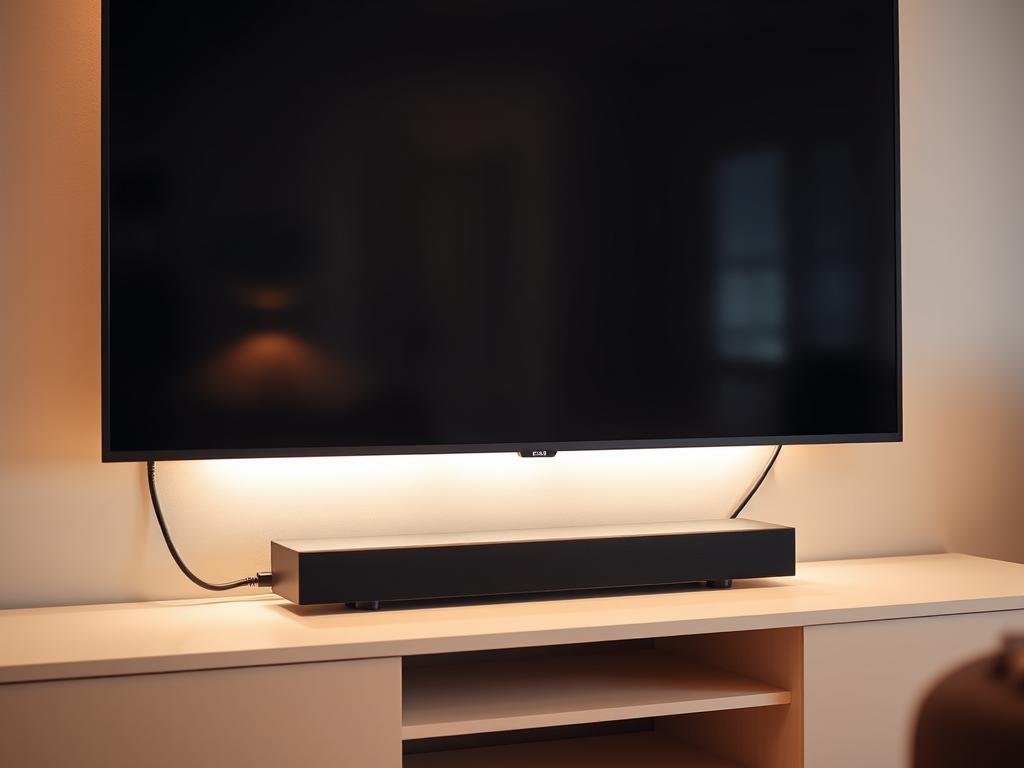

Did you know a well-set up soundbar can make TV watching better? It gives you a deeper audio experience. With many ways to connect, setting up your soundbar might seem hard. But knowing your soundbar parts and connection options is key to better sound.
To enjoy your soundbar fully, follow a soundbar setup tutorial. It will show you how to connect using HDMI, Optical, or Bluetooth. Pick the best one for your setup.
Key Takeaways
- Understand the components of your soundbar and the available connection options.
- Choose the right connection method (HDMI, Optical, Bluetooth) for your setup.
- Follow a step-by-step guide to set up your soundbar correctly.
- Enhance your TV viewing experience with better sound quality.
- Refer to a soundbar setup tutorial for detailed instructions.
Understanding Your Soundbar Components
A soundbar has several key parts that work together to give you great sound. Knowing these parts is key for a good setup and the best audio experience.
Main Parts of a Soundbar
The main parts of a soundbar include speakers, amplifiers, and a control unit. The speakers make the sound. The amplifier powers them. The control unit handles the audio signals and input options.
Today’s soundbars have cool features like wireless connectivity and voice control. Getting to know these can make your experience better.
| Component | Function |
|---|---|
| Speakers | Produce sound |
| Amplifier | Powers the speakers |
| Control Unit | Processes audio signals and manages inputs |
Essential Cables and Connections
To set up your soundbar right, you need to know about different cables and connections. You’ll often use HDMI, optical, and Bluetooth.
HDMI is great because it carries both audio and video signals. Optical connections are for digital audio and offer high-quality sound. Bluetooth lets you connect wirelessly to devices like phones and tablets.
Make sure the cables you choose match your soundbar and other devices. For example, if your TV has an HDMI ARC port, using an HDMI cable can make setup easier and improve sound quality.
Choosing the Right Location for Your Soundbar
Where you put your soundbar matters a lot. It affects how you hear TV sounds, like in movies, music, or games.
Wall-Mounted vs. Shelf Setup
Choosing between wall-mounting and a shelf depends on your room and soundbar type. Wall-mounting saves space and looks neat. But, a shelf setup is simpler and doesn’t need extra tools.
- Make sure the soundbar is at ear level or just below for the best sound.
- Think about your room’s sound: Hard surfaces echo, while soft ones absorb sound.
- Follow what the maker says: Some soundbars are made for wall or shelf use.
Considerations for Surround Sound
Setting up surround sound? Your soundbar is just the start. You’ll need to think about your rear speakers and subwoofer too.
- Put rear speakers above or at ear level, facing inwards.
- Put the subwoofer in a corner for better bass.
- Try different setups to find the best sound.
Optimal Viewing Height
The soundbar’s height also matters for watching TV. It should not block your view. Look for a soundbar that’s slim if space is tight.
Choosing the right spot for your soundbar can really improve your listening. Think about wall-mounting, surround sound, and the best height for viewing.
Connecting Your Soundbar to Your TV
To get the best sound, you need to connect your soundbar to your TV. There are several ways to do this. The choice depends on what your soundbar and TV can do.
HDMI ARC Connection
Connecting your soundbar to your TV with an HDMI ARC (Audio Return Channel) is easy and popular. It sends audio from the TV to the soundbar through the HDMI cable.
- Make sure your TV and soundbar support HDMI ARC.
- Plug an HDMI cable from your TV’s HDMI ARC port to your soundbar’s HDMI ARC port.
- Turn on HDMI ARC in your TV’s settings.
A leading audio expert says, “HDMI ARC makes connecting easier. It cuts down on cables and ensures great sound.”
“The beauty of HDMI ARC lies in its ability to streamline your home entertainment setup, making it a preferred choice for many consumers.”
Optical Cable Setup
Using an optical cable is another good way to connect your soundbar to your TV. It sends digital audio from the TV to the soundbar, giving you clear sound.
| Step | Description |
|---|---|
| 1 | Find the optical output on your TV and the optical input on your soundbar. |
| 2 | Connect the optical cable between them. |
| 3 | Set your TV’s audio output to optical or digital. |
3.5mm Auxiliary Input
For a simple connection, try a 3.5mm auxiliary cable. It’s easy but might not sound as good as digital connections.
To set it up:
- Plug one end of the 3.5mm cable into your TV’s headphone jack.
- Plug the other end into your soundbar’s auxiliary input.
- Switch your soundbar to the auxiliary input.
By following these steps, you can connect your soundbar to your TV. Choose the method that works best for you and your equipment.
Configuring Sound Settings on Your TV
To get the best sound quality, you need to set up your TV’s audio settings right. This ensures your soundbar works its best. It’s all about making the TV and soundbar sound great together.
Accessing TV Audio Settings
To improve your soundbar’s sound, first find your TV’s audio settings. You can do this by going into your TV’s menu. Look for the audio or sound settings section. For help on connecting your soundbar, check out this guide on how to connect a to your TV.
Adjusting Audio Formats
After finding the audio settings, you can change the audio formats. You might see options like PCM, Dolby Digital, and DTS. Picking the right format can make your movies and shows sound better.
For example, if a movie supports Dolby Digital, choosing that format can make the sound more real. Some TVs can automatically pick the best audio format. But, it’s smart to check your TV’s manual or the manufacturer’s website for more info.
Syncing Audio with Video
It’s also important to make sure the TV’s sound is in sync with the video. If the sound is off, it can ruin your movie night. Most TVs and soundbars let you adjust the audio delay to fix this.
Learning how to adjust these settings can help fix common problems. It ensures your soundbar sounds its best. So, take the time to get these settings right.
Pairing Your Soundbar with Other Devices
Connecting your soundbar to other devices is easy. You can do it via Bluetooth or Wi-Fi. Many soundbars let you connect to devices like smartphones and tablets. This way, you can stream music directly to the soundbar.
Connecting through Bluetooth
Bluetooth is common in soundbars. It lets you stream audio wirelessly. To pair your device with the soundbar via Bluetooth, make sure both are in pairing mode. Here’s how:
- Turn on Bluetooth on your device
- Choose the soundbar’s name from your device’s list
- Confirm the pairing
Bluetooth has many benefits:
- It streams music and audio wirelessly
- The pairing process is easy
Using Wi-Fi for Smart Engines
Some soundbars have Wi-Fi for smart home systems and streaming services. Wi-Fi gives:
- Better audio quality than Bluetooth
- Access to more streaming services and apps
To connect your soundbar to Wi-Fi, follow these steps:
- Pick your Wi-Fi network from the soundbar’s settings
- Enter your Wi-Fi password
Compatibility with Streaming Devices
Many soundbars work well with devices like Roku, Chromecast, and Apple TV. This makes setup easy and control simple. Make sure your soundbar matches your streaming devices.
Here’s a table that shows the main features and benefits of different soundbar connections:
| Connectivity Option | Key Features | Benefits |
|---|---|---|
| Bluetooth | Wireless streaming, easy pairing | Convenience, wireless audio |
| Wi-Fi | High-quality streaming, smart home integration | Better audio quality, access to more services |
| Streaming Device Compatibility | Seamless integration with devices like Roku and Apple TV | Unified control, enhanced entertainment experience |
Setting Up a Surround Sound System
To enjoy a truly cinematic experience at home, setting up a surround sound system is essential. This involves several key components and configurations to ensure an immersive audio experience.
Satellite Speakers and Their Placement
Adding satellite speakers is key for a surround sound system. These speakers should be placed strategically around the room. They are usually set to the sides or rear of the listening area.
Configuring Subwoofers for Enhanced Bass
Configuring subwoofers is another important aspect. The subwoofer is responsible for producing the low-frequency sounds that add depth to the audio. Its placement can significantly affect the overall sound quality.
Understanding Surround Sound Formats
Surround sound formats like 5.1 and 7.1 are commonly used. These numbers refer to the configuration of speakers and subwoofers. For example, a 5.1 system includes five full-range channels and one subwoofer channel.
| Surround Sound Format | Description | Speaker Configuration |
|---|---|---|
| 5.1 | Five full-range channels and one subwoofer channel | Left, Center, Right, Left Rear, Right Rear, Subwoofer |
| 7.1 | Seven full-range channels and one subwoofer channel | Left, Center, Right, Left Rear, Right Rear, Left Back, Right Back, Subwoofer |
By understanding and implementing these components and configurations, you can create a surround sound system that enhances your home entertainment experience.
Troubleshooting Common Soundbar Issues
When your soundbar isn’t working right, it’s important to check a few key areas. This includes no sound or audio delay. Knowing the cause helps you find the right fix.
No Sound from the Soundbar
First, check the connections. Make sure all cables are plugged in correctly. Try swapping HDMI cables or using a different port. Also, check the optical cable for damage.
Another thing to check is the TV’s audio output setting. Ensure it’s set to send audio to the soundbar. You can find these settings in the TV’s menu under “Audio” or “Sound.”
Audio Delay Issues
Audio delay can be frustrating. Look for an audio delay or lip sync setting in your TV’s menu. Some soundbars also have a setting for this.
If adjusting settings doesn’t help, check for firmware updates. Updates often fix syncing problems.
Connectivity Problems
Wireless soundbars might have connectivity issues. Make sure your Wi-Fi is stable. Restarting the soundbar and router can solve problems.
For more detailed steps, visit Dualav’s troubleshooting guide.
| Issue | Troubleshooting Steps |
|---|---|
| No Sound | Check connections, TV audio output settings |
| Audio Delay | Adjust audio delay/lip sync settings, check for firmware updates |
| Connectivity Issues | Restart soundbar and router, check Wi-Fi stability |
Enhancing Your Soundbar Experience
Learn how to make your soundbar better with simple tweaks and features. Adjusting your soundbar settings can greatly improve your home audio.
Using Soundbar Equalizers
Exploring the soundbar equalizer is key. It lets you tweak sound frequencies to match your taste. For example, boost mid-range frequencies for clearer dialogue in movies. For music with deep bass, enhance lower frequencies for a fuller sound.
Tips for Using Equalizers:
- Try different presets to find the best one for your content.
- Adjust bass and treble based on your room’s sound.
- Save your custom settings for easy access later.
Integrating with Smart Home Systems
Linking your soundbar with smart home systems can boost your audio. Many soundbars work with smart devices, letting you control them with voice commands or a single remote.
Benefits of Integration:
- Easy control over all your devices.
- More convenience with voice commands.
- Custom scenes for various activities (like movie nights or gaming).
Exploring Sound Modes
Soundbars have different modes for different content. Whether it’s a movie, game, or music, there’s a mode to improve your experience.
Popular Sound Modes:
- Movie Mode: Boosts dialogue and surround sound.
- Music Mode: Enhances sound clarity and depth.
- Game Mode: Reduces lag for better gaming.
Choosing the right mode for your activity can greatly enhance your soundbar experience.
Maintaining Your Soundbar for Longevity
Keeping your soundbar in top shape is key to enjoying great sound for years. A few easy steps can help maintain its quality.
Cleaning Your Soundbar
Cleaning your soundbar regularly is important. It helps remove dust and debris that can harm sound quality. Use a soft cloth to wipe it down. Avoid harsh chemicals or rough materials that might damage it.
Staying Up to Date with Software and Firmware
It’s important to keep your soundbar’s software and firmware updated. This ensures it works well and stays compatible with new devices. Check the manufacturer’s website often for updates and follow their installation guides.
Proper Storage Considerations
When storing your soundbar, choose a dry, cool spot away from sunlight. Don’t stack things on it. Use the original packaging or a protective case to keep it safe.
By following these maintenance tips, you’ll enjoy better sound and extend your soundbar’s life. This way, you get the most out of your soundbar setup.
FAQ
What is the best way to set up a soundbar for optimal sound quality?
To get the best sound, place the soundbar in the middle, below or above your TV. Adjust your TV’s sound settings to match the soundbar’s. Using a wall mount or shelf can help reduce echo and improve sound.
How do I connect my soundbar to my TV using HDMI ARC?
Connect your soundbar to your TV with an HDMI ARC cable. Plug one end into your TV’s HDMI ARC port and the other into your soundbar’s. Then, turn on HDMI ARC in your TV’s audio settings.
What are the different surround sound formats, and how do I configure them on my soundbar?
Surround sound formats include Dolby 5.1, Dolby Atmos, and DTS:X. To set up surround sound, go to your soundbar’s settings menu. Choose your preferred format and adjust speaker placement as the manufacturer suggests.
Why is my soundbar not producing any sound, and how can I troubleshoot the issue?
If your soundbar is silent, check the connection to your TV. Make sure the TV’s audio output is set to the soundbar. Also, ensure the soundbar is turned on. Try resetting it or checking for updates.
How do I pair my soundbar with other devices using Bluetooth or Wi-Fi?
To pair via Bluetooth, put your soundbar in pairing mode and pick it from your device’s menu. For Wi-Fi, connect through the app or settings menu on your soundbar.
How often should I clean and update my soundbar to maintain its performance?
Clean your soundbar every few months to remove dust. Also, check for updates regularly. These can improve performance and add new features.
Can I use my soundbar with streaming devices, and how do I configure it?
Yes, many soundbars work with streaming devices. Connect your device to your TV or soundbar via HDMI. Then, adjust the audio settings to send sound to the soundbar.
What are the benefits of using a soundbar equalizer, and how do I access it?
A soundbar equalizer lets you customize the sound. To use it, check your soundbar’s settings or app. Adjust the frequencies to enhance your listening experience.