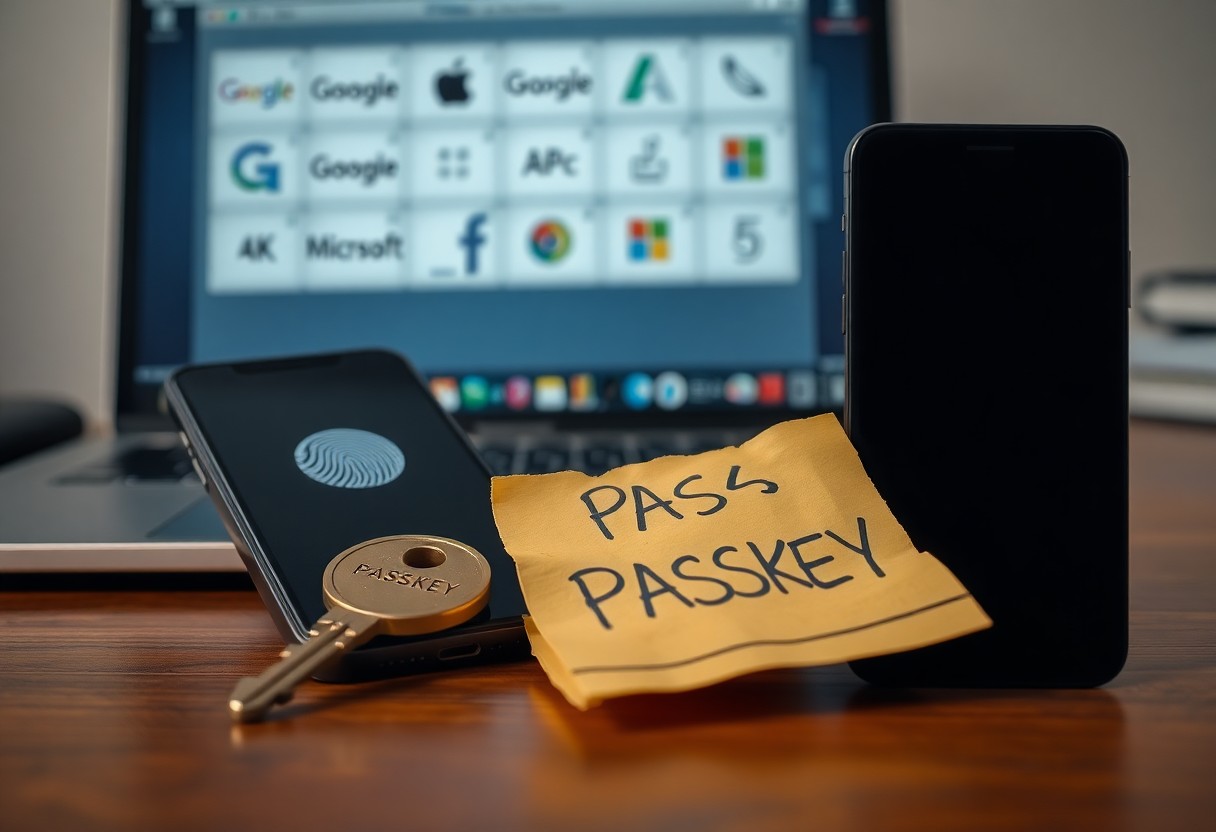

Just as Google, Apple and Microsoft abandon passwords for passkeys, you must face the facts: passwords are highly vulnerable to phishing and breaches while passkeys deliver stronger security and simpler sign‑ins.
Weakness of Traditional Passwords
Passwords are often short, reused, and stored insecurely, so you face account takeover from brute-force, dictionary, and credential-stuffing attacks. You depend on memorization and recovery paths that attackers exploit. Reused or weak passwords enable mass compromise.
Vulnerable to Phishing Attacks
Phishing tricks you into revealing credentials via fake sites, emails, or prompts, and single-factor passwords can’t verify authenticity. You may enter credentials into convincing clones, letting attackers access accounts immediately. Passwords alone offer little defense against targeted phishing.
Frequent Data Breaches
Data breaches expose millions of usernames and passwords, and you risk account takeover when attackers sell credentials on the dark web. Threat actors run credential-stuffing attacks against many sites at once. Breached password lists fuel widespread account compromise.
When breaches expose hashed or plain-text passwords, attackers use GPU cracking to recover weak hashes quickly; you suffer if passwords are reused across services. Companies often notify slowly, giving attackers time. Plain-text leaks and weak hashing are most dangerous, while passkeys and multi-factor authentication drastically reduce breach impact.
Defining the Passkey
A passkey is a device-bound credential replacing passwords with public-key cryptography, so your private key never leaves your device. You authenticate using biometrics or a PIN and get phishing-resistant access across apps and websites.
Cryptographic Authentication Method
Public-key cryptography powers passkeys: your device stores the private key, servers keep the public key. You prove identity by signing challenges, which makes stolen server data useless and stops credential replay and phishing.
Built on FIDO Standards
Passkeys implement FIDO standards like WebAuthn and CTAP, so you get interoperable, cross-platform authentication and reduced account takeover risk.
WebAuthn and CTAP set how your device proves identity, using attestation and device-bound keys; attestation improves trust, while misconfigured recovery or cloud sync can create risks. You control which devices are trusted and must plan secure backup to avoid lockout.
How Passkeys Work
Passkeys replace passwords with cryptographic key pairs stored on your device; the service keeps a public key while your private key signs challenges, so you authenticate without typing secrets and enjoy strong phishing resistance because the private key never leaves your device.
Public and Private Keys
A public key is registered with the service to verify signatures, while your private key stays on your device and signs authentication challenges; the split means services cannot impersonate you without the private key and the public key reveals nothing you can use to sign.
Local Device Storage
Your device keeps private keys in a hardware-backed enclave or OS key store, protected by biometrics or a PIN; this local isolation blocks apps and networks from stealing keys and makes authentication require your presence and consent.
Cloud sync can back up passkeys for recovery, improving convenience but adding risk if that account is breached; you should choose providers with encryption and multi-factor protection. Consider the trade-off: cloud backup can expose keys if the cloud account is compromised, while a secure element isolates keys locally.
Biometric Verification
You use biometric verification to tie your passkey to your body, letting authentication occur without passwords. Devices store private keys locally, so your biometric never leaves the device, reducing phishing risk while introducing sensor-spoofing and device-theft risks.
Using FaceID or TouchID
You unlock apps and websites with FaceID or TouchID, which verify live biometric input against locally stored templates. With passkeys, FaceID prevents phishing by requiring the physical presence, but you must weigh false-acceptance and legal access concerns.
Fingerprint Sensor Support
You benefit from widespread fingerprint sensors on laptops and phones, making passkey adoption easier. Fingerprint readers keep templates on the secure element, so biometric data stays on-device, but some older sensors lack anti-spoofing, creating security gaps.
You encounter three common sensor types: capacitive, optical, and ultrasonic, each varying in accuracy and liveness detection. Secure Enclave or TPM stores templates and runs matching, meaning raw fingerprint images never leave the chip. Attack methods include lifted prints and silicone spoofs; older sensors are most vulnerable. Choose devices with FIDO-certified sensors and keep firmware updated to reduce risks.
Google’s Major Push
Google is driving a shift to passkeys across its services so you can stop using passwords. The company plans to phase out passwords for most sign-ins and push developers to adopt passkey standards, raising phishing resistance while centralizing recovery through your Google Account.
Default Account Login
Google will make passkeys the default for account login so you can sign in without a password. If you use Google Account as your identity, password prompts will be removed and recovery options tie to your devices, increasing convenience and potential attack surface if device security is weak.
Android Integration Benefits
Android now stores passkeys so you can unlock accounts with biometrics or PIN. On-device storage gives phishing-resistant sign-ins and quick setup, but you must secure your phone because loss can expose recovery paths.
Android ties passkey backups to your Google Account, so you can restore credentials after device loss. That creates convenient recovery but also a single point of attack if your account or device protection is compromised, so enable strong device locks and two-step verification.
Apple’s Implementation
Apple integrates passkeys into iOS and macOS so you sign in with Face ID or Touch ID instead of passwords, and iCloud syncs credentials. You get phishing-resistant, biometric-backed logins, but you must protect your Apple ID because its compromise can expose synced passkeys.
iCloud Keychain Syncing
iCloud Keychain syncs passkeys across your devices via end-to-end encryption. You can restore keys using account recovery, and end-to-end encryption protects your credentials, but weak Apple ID protection risks synced passkeys.
Seamless Ecosystem Experience
Apple’s ecosystem lets you use passkeys across your iPhone, iPad and Mac with minimal friction; you unlock sites and apps with biometrics. Convenience speeds adoption, while device loss requires immediate Apple ID action.
You get automatic autofill and handoff between devices, and public-key credentials remain on the device, so websites can’t phish them. Private keys never leave your device, but account-recovery complexity can lock or expose you if mishandled.
Microsoft’s Adoption
You see Microsoft driving passkey adoption across Windows and Azure AD, adding FIDO2 support and promoting passwordless sign-in to reduce phishing and account takeover risks.
Windows Hello Integration
You use Windows Hello biometrics as a local passkey store, letting you sign in with face or fingerprint while avoiding passwords and shared secrets that attackers target.
Enterprise Security Focus
You can configure Azure AD to require passkeys and conditional access, giving IT teams tools to block compromised methods and lower phishing risk with policy-driven passwordless controls.
You see Intune and Azure AD reporting, conditional access, and SIEM integration to detect suspicious sign-ins; admins can revoke passkeys and enforce device compliance, cutting lateral movement and insider or credential-theft risks.
Eliminating Human Error
You remove password pitfalls by using passkeys that eliminate typing, weak choices and phishing-prone credentials, so human error no longer exposes accounts and attackers lose common vectors like stolen passwords.
No Complex Strings Needed
You stop creating or memorizing long passwords because passkeys use device-based authentication such as biometrics or PINs, offering no long passwords to steal and faster, safer logins.
No Reusing Passwords
You prevent cross-site account takeover because passkeys generate unique credentials per site, eliminating the credential reuse and stuffing risk that lets attackers pivot from one breach to many.
You store private keys in secure hardware or encrypted cloud sync so every site gets a distinct key; password reuse lets attackers pivot across services, while per-site cryptographic keys block lateral account takeovers and contain breaches to a single account.

Phishing Resistance
You gain strong phishing resistance because passkeys use cryptographic keys tied to sites; attackers cannot trick you into revealing reusable credentials, so fake sites fail to authenticate.
Domain Specific Binding
You get keys that are cryptographically bound to a site’s domain; a cloned page can’t authenticate because the key won’t match, so phishing pages fail to sign you in.
No Secrets to Reveal
You don’t enter or transmit secrets: authentication uses private keys stored locally and proof is ephemeral; nothing you type can be phished.
You keep a private key on your device that never leaves it, and servers only receive a signed assertion proving you control that key. This means no reusable secrets exist for attackers to steal or reuse, so phishing, interception, and credential stuffing are rendered ineffective.
Device Synchronization
Device synchronization lets you access passkeys across all your devices through account sync; you stop typing passwords and start authenticating with local biometric or PIN keys. Phishing-resistant convenience reduces login friction, but account compromise can endanger synced credentials, so you must secure your primary account.
Access Across All Hardware
You use passkeys on phones, tablets, laptops, and shared machines with the same account, eliminating passwords and speeding logins. Quick biometric sign-in keeps access intuitive. Public or unmanaged devices still pose risks if you don’t sign out or lock your sync account.
Secure Cloud Backups
Cloud backups store encrypted passkey recovery blobs tied to your account so you can restore access when you replace devices. Encrypted escrow prevents providers from reading keys, but account takeover or weak recovery methods can expose those backups if you don’t protect recovery credentials.
When backups are created, your device encrypts passkeys with keys tied to hardware and your account; cloud stores only encrypted blobs. Recovery often requires your account credential or a secondary device, so you should enable strong account defenses and avoid weak recovery options that could let attackers restore your passkeys.
Speed of Authentication
You experience much faster access with passkeys, often reducing login to seconds by using your device’s biometric or PIN confirmation instead of typing. This cuts time spent on password entry and resets, letting you reach services far quicker.
Instant Login Process
You tap your device or use Face ID to confirm; the browser and device exchange a cryptographic assertion and you gain access instantly. That interaction removes OTP delays and manual password entry, giving you a near-instant login experience.
Fewer Friction Points
You face fewer interruptions with passkeys: no complex password rules, no frequent resets, and no typing on tiny screens. Your flows become shorter and more predictable, cutting user drop-off and support costs. The most visible benefit is a simpler, faster path to access.
If you lose your device you can face account recovery friction; without backups you risk lockout. Service providers are building recovery options and cross-device sync to avoid that. You should use secure back-up or tied devices to prevent lockouts, but accept that recovery remains a primary security trade-off versus password hassles.
The FIDO Alliance
The FIDO Alliance brings companies together to replace passwords with passkeys. You get phishing-resistant, device-based credentials that cut account takeover risk. Big names like Google, Apple, Microsoft support specs so your logins become safer and password-free across apps and browsers.
Unifying Tech Giants
Major vendors align on FIDO to give you consistent passkey use across devices and browsers. You gain cross-platform interoperability so moving between phones, laptops, and cloud services keeps access intact and reduces login friction and phishing exposure.
Global Security Standards
FIDO defines open specs that force device-based authentication, giving you phishing resistance and cutting credential theft. Governments and enterprises adopt these standards to harden systems and reduce mass breaches.
FIDO uses public-key cryptography and device attestation so you authenticate without sharing secrets. Your biometric data stays on-device for privacy protection, but poor implementations or fake attestation can be dangerous and expose accounts.
Privacy Protections
You get stronger privacy with passkeys: your authentication data stays on your device and sites receive only a cryptographic proof, not your personal secrets. That change cuts phishing and breach risk and limits cross-site tracking, keeping your accounts and browsing history more private.
Biometrics Stay Local
Your fingerprint or face unlocks passkeys on-device; biometric templates never leave your device, so sites and cloud services can’t collect raw biometric data. You keep control of biometric input while still signing in quickly and securely.
No Tracking Between Sites
Passkeys use unique, per-site credentials so each site only sees its own key. That design means sites can’t correlate your logins to track you across services, reducing targeted profiling and ad tracking.
Origin-bound passkey pairs tie credentials to each site’s origin, preventing cross-site key reuse. That stops servers from matching authentication signals, but you can still be tracked if you give the same email or accept data sharing. Origin-bound keys block automatic cross-site profiling, while manual data sharing remains a tracking risk you must manage.
Cross-Platform Compatibility
You can use passkeys across phones, tablets and desktops thanks to WebAuthn and FIDO2 support from Apple, Google and Microsoft. Works across platforms and avoids password syncing, which reduces phishing and credential theft.
QR Code Login Feature
QR codes let you log in by scanning from a trusted device; you scan, confirm, and the server issues a passkey. Fast and convenient, but phishing or QR spoofing can trick you unless you verify the site’s origin.
Bluetooth Proximity Checks
Bluetooth proximity checks confirm a nearby device before approving a passkey sign-in, adding a physical presence factor. Improves local security, though relay or spoofing attacks can pose a risk and BLE metadata may reveal device presence.
Bluetooth proximity uses BLE beacons and short-range challenge-response so the relying party can verify that you are near the authentic device. Reduces remote hijacking by requiring physical presence, but attackers can perform relay (mafia) attacks that extend range. Vendors mitigate with round-trip time checks, signed challenges, explicit on-device confirmation you must approve, and short pairing windows. You should weigh the added convenience against potential privacy leaks from BLE metadata and modest battery impact when scanning is active.
Reducing IT Costs
You remove recurring password headaches and cut support spending by replacing passwords with passkeys. You reduce helpdesk tickets, downtime, and security incidents, producing measurable IT cost savings and freeing budget for strategic projects.
Fewer Password Resets
You virtually eliminate reset calls by replacing passwords with device-based passkeys, cutting password reset volume and associated labor. This produces lower operational costs and reduces business interruptions from locked-out users.
Lower Support Burdens
You reduce ticket loads so your support team can focus on higher-value work, not repetitive resets. The shift to passkeys shrinks SLA breaches and incident follow-ups, offering better service quality and reduced headcount pressure.
You mitigate security risk from stolen credentials and phishing, since passkeys are phishing-resistant and stop credential stuffing attacks. That lowers incident investigations, fines, and brand damage, yielding major risk reduction and fewer emergency support spikes.
Implementation Challenges
You face integration hurdles when replacing passwords with passkeys: protocol updates, device pairing, and support across browsers. Complex server changes and migration risks can interrupt login flows, while the security upside reduces phishing and credential theft dramatically.
Legacy Website Support
You must handle older sites that expect passwords: many legacy systems lack passkey APIs, causing failed logins. Broken integrations can lock users out; you can mitigate with fallback password options or identity gateways that provide gradual migration.
User Education Requirements
You need to teach users how passkeys work, how to store device backups, and how to use recovery methods. Poor understanding risks widespread lockouts; proper guidance delivers phishing-resistant authentication and faster, safer logins.
You must provide clear tutorials, inline prompts, and staged onboarding so users create and back up passkeys correctly. Account lockout from lost devices is the biggest danger; mitigate with recovery codes, alternate authenticators, and account recovery flows. Effective training increases adoption and makes authentication phishing-resistant while reducing support costs.
Security Enclaves
You rely on security enclaves-isolated hardware areas that store private keys and authentication secrets away from the OS. You benefit because enclaves prevent extraction by malware and reduce your phishing risk by keeping credentials on-device. You see Google, Apple and Microsoft using enclaves so your passkeys become far more secure than passwords.
Hardware Level Protection
You get hardware-level protection that enforces cryptographic operations inside a locked module, so private keys never leave the chip. You benefit because this limits remote and software attacks and forces attackers to target physical hardware, raising the cost and complexity you face for credential theft.
Tamper Resistant Chips
You benefit from tamper-resistant chips that detect and block physical intrusion attempts, erasing secrets on tamper events. You gain protection because these chips stop chip-level key extraction and make cloning or invasive attacks extremely difficult, increasing the effort attackers must expend to compromise you.
You should know tamper-resistant chips combine physical shields, sensors and active defenses that respond to probes, voltage manipulation, or temperature extremes by zeroing keys. You understand attackers must overcome side-channel analysis, fault-injection, and microprobing, all of which require expensive lab equipment. You see manufacturers add hardware-backed attestation so services can verify the chip’s integrity before accepting a passkey.
Account Recovery
You must rethink account recovery with passkeys: losing devices can cause permanent lockout, while provider-backed recovery options can reduce phishing and password theft but introduce other risks you should manage.
Multi-Device Verification
You should register passkeys on multiple devices so you avoid lockout if one device is lost, and you should keep backups encrypted because syncing can create an extra attack surface.
Provider Specific Solutions
You can choose provider recovery like cloud backup, trusted-device recovery, or one-time codes; these offer convenience but can raise account takeover risk if the provider account lacks strong protections.
You should inspect provider recovery options: they often include phone or email recovery, encrypted cloud passkey backups, and trusted-device lists. Enable multi-factor on your provider account, prefer encrypted backups, and remove weak channels like SMS to reduce SIM-swap and social engineering risks.
Future Without Passwords
You will rely on passkeys and biometrics across devices, reducing phishing and account reuse risks. You will replace passwords with faster, phishing-resistant authentication, but you must manage device loss and recovery securely. Your organization will adapt policies to protect identities and recovery flows.
Gradual Phase Out
You will see services offer passkey options first, then deprecate weak passwords as users migrate. Expect a period of mixed systems where legacy credentials remain attack surfaces while new accounts use modern authentication.
Permanent Identity Shift
You will treat devices and biometrics as primary identity anchors, moving away from memorized secrets. This brings reduced phishing and password reuse but introduces risks around device compromise and recovery policies.
You must plan recovery paths: add backup devices, trusted guardians, and cloud escrow to avoid permanent lockout. Watch for vendor lock-in risks and enforce audit-ready recovery rules to protect accounts while preserving privacy.
Industry Wide Momentum
You watch Google, Apple and Microsoft push passkeys and FIDO2 standards, making passwords obsolete across devices and services. Mass adoption cuts phishing and breach risk while creating migration and recovery challenges that you must manage.
Broad Developer Adoption
You see developers integrating WebAuthn and platform APIs into apps and sites, shortening rollout times. Fast uptake increases user protection, while inconsistent implementations can create exploitable gaps you should address.
Universal Web Standards
You benefit from W3C and FIDO Alliance standards like WebAuthn that enable cross-platform passkeys and easier logins. Interoperability reduces the attack surface and simplifies migration across devices you own.
Standards such as WebAuthn and CTAP define how devices create and store cryptographic credentials tied to origins, giving you strong phishing resistance and token-based authentication. Cross-browser support from Chrome, Safari and Edge makes passkeys practical; implementation mistakes and weak account recovery remain the most dangerous risks you must mitigate through careful rollout and backup options.
Conclusion
So you should adopt passkeys because they eliminate phishing and weak-password risks, simplify sign-in across devices, and are supported by Google, Apple, and Microsoft as the new standard, making passwords obsolete.