

AI deepfake scams are targeting ordinary people; you must spot fake audio and video, verify identities before acting, and secure accounts with two-factor authentication while reporting impersonation to protect funds and reputation.
Understanding Deepfake Technology
You must understand that deepfakes use AI to synthesize faces and voices, making content highly convincing. You can be targeted with impersonations and scams, while the same tech can enable accessibility and entertainment applications. Awareness helps you spot and respond to threats.
AI Voice Mimicry
You will hear AI-generated voices that can sound like someone you know, using minutes of audio to mimic tone, pace, and emotion. You might face urgent-sounding requests for money or verification. Use verification steps and treat unexpected demands suspiciously. Some voice AI also creates helpful accessibility tools.
Face Swapping Visuals
You may see videos where faces are swapped to place you or others into false scenes, producing realistic fake videos that can mislead friends, employers, or courts. Verify sources and look for odd lighting or mismatched eye blinks. Face swaps also power creative media and personalized avatars.
You should know some face-swap tools require only a few photos or short videos to create convincing clips, enabling fast spread on social platforms and targeted reputation attacks. Check for mismatched reflections, frozen expressions, or inconsistent audio to detect fakes. Creators also use swaps for ethical film effects and education.

Common Deepfake Scam Types
You face scams using deepfake audio, voice cloning, fake video calls, impersonation and phishing. Scams often ask for money or access under pressure. Any urgent request must be verified by calling the person directly and using out-of-band confirmation.
- Emergency Family Calls
- CEO Fraud / Fake Executive
- Fake Video Meetings
- Voice Phishing (Vishing)
- Synthetic Social Profiles
| Emergency Family Calls | Scammers use cloned voices to claim a relative needs money immediately. |
| CEO Fraud / Fake Executive | Impersonated leaders order urgent wire transfers or data sharing. |
| Fake Video Meetings | Face-swap or altered feeds present false requests during live calls. |
| Voice Phishing (Vishing) | Recorded or synthetic voices extract credentials or verification codes. |
| Synthetic Social Profiles | Fake identities build trust to solicit money or access over time. |
Emergency Family Calls
You may get a deepfake call claiming a family emergency and asking for money or codes. Pause, call the family member on a known number, and confirm with another relative before sending funds.
Fake Video Meetings
You can be summoned to a meeting with a cloned executive or colleague using deepfake video, pushing you to share credentials or approve transactions. Verify presenter identity, check meeting invites, and use video call authentication tools.
You should suspect any unexpected meeting where behavior, lip-sync, or audio feels off. Attackers combine face-swap and voice cloning to impersonate leaders and request urgent wire transfers or access. Confirm requests via known channels, enable meeting authentication, require secondary approvals for transactions, and report suspicious invites to block dangerous attempts.
Identifying Visual Red Flags
You must watch for mismatched lighting, odd lip-sync, and inconsistent reflections, since these visible errors often expose deepfakes and help protect you from financial or emotional scams.
Unnatural Eye Blinking
You may see erratic or absent blinks, where blinking is too fast, too slow, or missing entirely, and those patterns strongly indicate manipulated video that you should treat with suspicion.
Glitchy Skin Textures
You should watch for patchy smoothing, odd color bands, or shifting pores, because unnatural skin textures often indicate manipulated footage that can enable scams.
You can pause and inspect frames at high zoom to find repeating texture patterns, inconsistent shadows, or abrupt pixel shifts, and verifying the original source or cross-checking other footage will protect you from false claims or fraud.
Spotting Audio Inconsistencies
You can detect fake audio by noting unnatural pauses, mismatched background sounds, or inconsistent tone; trust instincts and verify sources. Deepfakes often contain subtle glitches signaling a scam.
Robotic Speech Patterns
You may hear monotone delivery, clipped syllables, or uneven pacing that feels mechanical. Monotone voice and odd timing often indicate synthesized audio used in scams, so question unexpected requests.
Unusual Background Silences
You might notice sudden drops in ambient sound or mismatched background noises that don’t align with the setting. Silent gaps and audio cuts can reveal editing and signal potential scams.
You can compare ambient noise to other clips, pause playback to spot gaps, and ask for live verification. Unnatural silence before/after phrases often marks edits; request real-time video or a follow-up call to confirm.
Verifying Identity via Safe-words
You should set a family safe-word and ask for it whenever someone claims to be a relative or official; if they can’t provide the private word, treat the contact as suspect and do not share personal info.
Creating Family Passwords
You ought to create unique, random family passwords for calls and messages; assign different words to close contacts and change them periodically so scammers can’t guess or reuse leaked phrases.
Keeping Phrases Secret
You must keep safe-words off social accounts and group chats; store them offline and never enter them on unknown sites or voice prompts, since scammers can coax answers from you.
You should keep phrases on paper in a locked place or memorize them; use unrelated words that only family knows and never text or post them. Change phrases after any suspicious contact and confirm identity in person or via a previously agreed channel.
Implementing Multi-Factor Authentication
You should enable MFA on all accounts, choosing app-based codes or security keys; MFA blocks most account takeovers even if scammers use deepfakes to trick you. Set backup methods and avoid SMS-only options.
Biometric Security Steps
You can enable fingerprint or face unlock where available; biometrics add a strong layer that thwarts stolen passwords and makes voice/video deepfakes less effective at account access. Keep biometrics enrolled only on personal devices.
Hardware Key Protection
You should use FIDO2 hardware keys for high-risk accounts; keys are phishing-resistant and stop attackers who present deepfake content from accessing accounts. Register a backup key and store it separately.
You plug or tap a USB-C/NFC key during login; attacker cannot remotely reproduce that physical touch. Keep firmware updated, buy keys from reputable brands, and store backup keys in a locked safe.
Scrutinizing Urgent Requests
You must treat sudden urgent messages as suspect; deepfake audio and video create convincing pressure. Pause, confirm the sender through a separate known channel, and avoid acting on urgent demands until you verify identity.
High-Pressure Tactics
You will see deadlines, threats, and insistence on secrecy used to push you. Treat immediate action demands as red flags, slow down, ask questions, and verify identity before responding.
Demands for Money
You may be asked to send cash, gift cards, or crypto right away; these are common scam tactics. Never transfer funds without a confirmed, independent contact; treat money demands as the most dangerous red flag.
You should check payment requests for unusual accounts, insist on in-person verification for family emergencies, and call the person using a known number. If someone pressures for untraceable payments, label it high-risk and report.
Protecting Personal Media Files
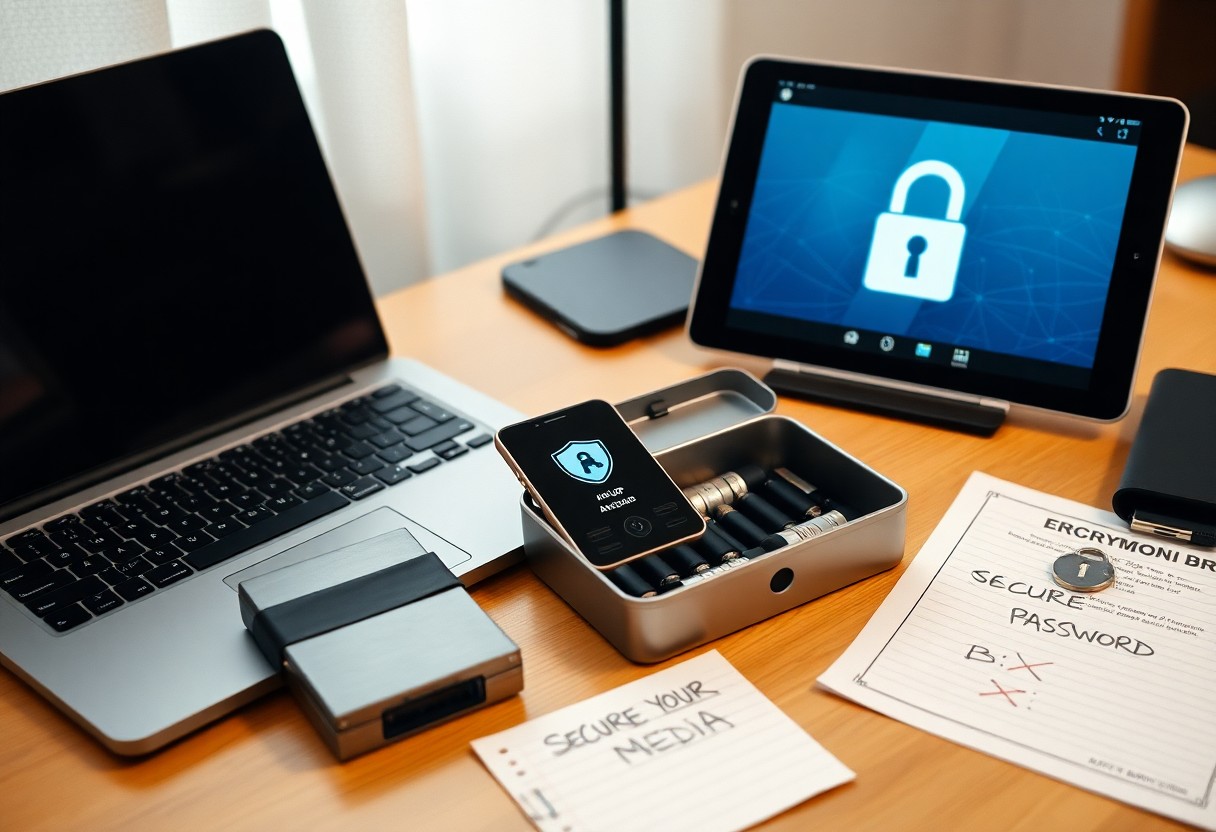
You should treat personal photos and videos as sensitive: store originals offline, enable strong device encryption, and back up to a private, encrypted location. Remove publicly accessible copies and check cloud sharing links. Protecting files reduces the chance attackers can build convincing deepfakes.
Privacy Setting Audits
You should audit privacy settings on social and cloud accounts: set albums to private, disable third-party app access, and check link-sharing. Turn on two-factor authentication and revoke stale permissions to block unauthorized copying.
Limiting Public Photos
You should limit public photos to a tight selection: avoid clear face shots, geotags, or high-resolution images that enable facial training. Remove old posts and use low-resolution uploads when sharing publicly to reduce the risk of your likeness being used in deepfakes.
You can reduce risk by deleting or archiving old posts, turning off location services, and disabling photo tagging. Choose avatars or low-resolution versions for public profiles and ask contacts not to share your images. Use watermarks or subtle edits and keep originals in encrypted backups so attackers cannot access high-quality source material.
Using Official Communication Channels
You should confirm messages through official channels only. Check the organization’s website or app and use contact info published there. Do not follow unsolicited links or give information over unknown numbers. Use verified channels to avoid falling for voice or video deepfake scams.
Calling Back Directly
You should hang up and call the company’s number listed on their official website or on your account. Do not call the number given by the caller; caller ID can be spoofed. Use a new call to confirm requests for money or personal data before acting.
Verified App Messaging
You should reply or accept messages only through apps that show a verified business badge or secure verification mark. Treat messages without verification as suspect; deepfakes can mimic voices and videos. Use in-app contact options to confirm requests for transfers or codes.
You should inspect the app’s verification badge and sender profile, compare the message content with official notices, and never click links or approve requests for codes without confirming via the app’s official support. Deepfakes can be highly convincing, so do not trust unverified messages. Turn on two-factor authentication and use in-app support threads or secure chat to verify identity before sending money or data.
Educating Friends and Family
You can protect friends and family by explaining how deepfake scams mimic voices and faces, encouraging skepticism, and showing quick verification steps like callback or video checks.
Sharing Scam Alerts
You should forward verified scam alerts, show sample deepfakes, and highlight suspicious urgent requests so loved ones spot red flags quickly.
Training Vulnerable Relatives
You must teach vulnerable relatives to pause, verify identities via a separate channel, and never send money based on unexpected messages.
You can run short drills with harmless simulated scams so relatives learn to ask specific questions and use a callback number. Use clear scripts asking the caller to state a known fact or an agreed code and confirm via video. Emphasize that fraudsters exploit urgency while verification stops most scams.
Reporting Suspected Fraud
You should report suspected deepfake scams immediately to limit harm. Save screenshots, dates, and contact details, then inform authorities and platforms to increase the chance of recovery and block repeat offenders.
Contacting Local Authorities
You can call your local police or cybercrime unit and provide evidence and a clear account of the scam. Ask for a report number, keep copies, and follow their instructions to protect your identity and finances.
Alerting Platform Moderators
You should report the fake content to the platform using abuse/report tools, include screenshots, links, and timestamps, and request removal. Platforms can suspend accounts and stop spread quickly.
You must attach original files and context when reporting; unaltered screenshots, message headers, and URLs increase removal chances. Block the offender, warn contacts, and escalate if moderators ignore your report by contacting support or filing a complaint with consumer protection agencies.
Analyzing Metadata and Sources
You should inspect file headers, timestamps, and linked accounts to spot inconsistencies. Fake metadata and altered timestamps often signal manipulated media, while verified source chains increase trust. Use basic tools to extract EXIF and provenance data before acting on suspicious messages.
Checking File Origins
You can trace file origins by checking upload history, email headers, and cloud links. Short-lived or anonymous uploads often indicate scams, while consistent account histories support authenticity. Save originals and compare timestamps before trusting requests for money or sensitive info.
Reverse Image Searching
You should run images through reverse search engines to find earlier appearances and identical matches. Exact matches to older photos reveal reused or stolen content, while no matches can indicate newly generated deepfakes. Keep screenshots and URLs for evidence when reporting scams.
Use multiple services like Google Images, TinEye, and Yandex because results vary. Finding the same face across unrelated profiles signals potential impersonation, while timestamps and site contexts help verify authenticity. Save source links and check cached pages to catch edited or removed originals.
Staying Updated on Tech
You must track deepfake advances and scam techniques and follow official advisories so you know which threats are active and how to adjust your defenses.
Following Security News
You should subscribe to real-time alerts from credible security outlets, follow researchers on social media, and cross-check reports before acting to avoid false alarms.
Updating Software Regularly
You must enable automatic updates and apply security patches quickly, since attackers exploit outdated software to bypass accounts and inject deepfake tools.
You should enable automatic updates across OS, browsers, apps and device firmware, verify update sources, install critical security updates within 48 hours, keep backups before major patches, and test authentication systems after updates to ensure patches stop exploit attempts. Replace unsupported devices promptly because outdated firmware is high risk.
Monitoring Financial Accounts
You should monitor your accounts daily for suspicious activity, focusing on unexpected transfers, unfamiliar logins, and odd vendor names. Enable MFA, secure passwords, and treat unsolicited money requests as high-risk.
Setting Transaction Alerts
You can set alerts for withdrawals, transfers, and login attempts so you catch fraudulent actions fast. Choose instant SMS or push alerts for transactions over your threshold, and mark unknown activity as high-risk.
Reviewing Bank Statements
You should review monthly and recent electronic statements line-by-line to spot small fraudulent charges or account changes. Flag recurring unfamiliar charges and report them immediately to your bank or card issuer.
You should compare each statement line to receipts, subscription lists, and recent card activity to catch mismatches. Look for micro-deposits used to verify accounts, unexpected recurring charges, or unfamiliar payees that signal account takeover. Keep a dated log and download PDF copies before contacting your bank; contact your bank and card issuer immediately to dispute charges and freeze accounts when fraud appears. Use screenshots and transaction IDs when submitting disputes. File an identity theft report with the FTC or local police and place a fraud alert on your credit for extra protection.
Exercising Digital Skepticism
You should treat unexpected audio or video messages with suspicion, check context before sharing, and pause before responding to requests. Small checks can block fraudulent deepfake scams and protect your finances and privacy.
Questioning Sensational Content
You should ask who benefits from sensational clips, check timestamps, and avoid forwarding hot takes. Emotional hooks are a common tactic; pause, verify, and don’t amplify manipulative deepfakes that aim to provoke panic or financial loss.
Verifying Source Credibility
You should confirm sender identity, cross-check claims with reputable outlets, and check URL accuracy. Small traces like mismatched logos or odd email addresses reveal fake sources; rely on verified channels before acting on requests.
You can use reverse image search, WHOIS lookup, and official account badges to confirm authenticity. Phone or video callbacks to known contacts stop impersonation attempts. Keep a list of trusted sources and report suspicious accounts to limit the spread of scams.
Enhancing Social Media Privacy
You should tighten profile settings, stop sharing public posts, and limit who sees content to reduce deepfake risk. Set accounts to private, review apps, and remove unnecessary personal details that can feed synthetic media.
Restricting Profile Access
You can restrict profile access by approving followers, blocking unknown accounts, and disabling friend suggestions. Approve followers manually and remove anyone who asks for unnecessary personal information to reduce your chance of being targeted by deepfake scams.
Removing Tagged Locations
You should remove location tags from past posts, disable automatic geotagging, and stop sharing live locations to limit metadata attackers use to create believable deepfakes. Turn off geotagging and edit old posts to remove place details.
You should scan tagged photos, ask friends to remove tags that reveal routines, and check third-party apps that may add location data. Public place tags and check-in histories are dangerous because they let scammers match your voice or face to locations; removing tags reduces that risk.
Recognizing Emotional Manipulation
You will encounter deepfake calls and messages designed to trigger emotion. Scammers use fear, guilt and urgency to make you act without thinking; spotting those signs lets you pause and verify before any financial loss.
Fear-Based Messaging
You may get pleas that mimic loved ones in distress to coerce payment or data. Treat unexpected emotional emergencies as suspicious; verify identity by calling known numbers and avoid responding under pressure.
False Sense of Urgency
You will face messages with a false deadline that demand immediate action to prevent imagined harm; this pressure reduces your chance to check facts and raises risk of loss.
You should pause and contact the person or institution through a separate channel, ask for verifiable details, and check timestamps or URLs; a brief confirmation step often thwarts scams.
Utilizing Detection Tools
You should use automated detection tools to scan suspicious audio, video, and images; flagged deepfakes often show visual artifacts, mismatched audio, or odd eye movement. Run multiple checks and cross-verify results to protect your identity and money.
AI Authenticity Software
You can install authenticity apps that analyze metadata, compression traces, and biometric mismatches; verified authenticity scores help you trust messages or calls before responding. Prefer tools with open-source algorithms and regular updates.
Browser Security Extensions
You should add browser extensions that detect malicious links, fake profiles, and embedded deepfake media; real-time alerts stop you clicking dangerous pages or downloading manipulated files. Keep extensions updated and review permissions.
You must choose extensions from trusted publishers, check reviews, and limit permissions; over-permissive plugins can expose your data or inject ads. Combine extension alerts with URL reputation services and disable unused add-ons to reduce attack surface.
Securing Voice Mail Greetings
You should keep voicemail greetings short and free of personal data; attackers can use long samples to clone your voice, enabling realistic scams.
Avoiding Long Samples
You should use very brief greetings-one line or a few words-so long samples that fuel accurate deepfakes are unavailable to scammers.
Using Generic Messages
You should use neutral phrases like “Leave a message” and avoid names or details; generic messages deny scammers training data and protect you.
You should rotate or abbreviate greetings and avoid referencing your workplace, family, or schedule. Neutral scripting and carrier-hosted automated greetings cut available voice data; this reduces the chance of your voice being cloned. You should pair generic messages with strong account security for extra protection.
Developing Critical Thinking Skills
You should question surprising audio or video, verify identities, and cross-check claims before acting. Use multiple independent sources and contact known channels for confirmation. Be aware that deepfakes can be highly convincing and often target emotions to trick you.
Evaluating Logical Flow
You should check whether statements follow logically and whether timelines match. Spot contradictions, abrupt topic jumps, or mismatched details that signal manipulation. If a clip or claim lacks a clear sequence, treat it with suspicion and verify before reacting.
Identifying Context Clues
You should scan for metadata, background noises, location cues, and timestamps that confirm authenticity. Use context mismatches like wrong uniforms or weather as red flags and cross-check details with trusted sources.
You can extract EXIF data, run reverse-image and audio searches, and compare clothing, shadows, and ambient sound to expected sources. Ask for raw files or multiple angles and confirm event dates with official records. Treat urgent monetary or personal requests that lack supporting context as high-risk, and use verification tools before responding.
Final Words
Now you must verify unexpected audio or video by contacting the person directly, enable two-factor authentication, scrutinize requests for money or data, use official channels for confirmations, save evidence and report fraud to platforms and authorities.